1-800-TEC-ENGR
1-800-832-3647
1-800-832-3647

The M1200’s Review Mode changes the setup workflow. Instead of guessing die protection windows, the operator makes a dry run and records the press events and programs appropriate windows. That is why many installations that traditionally consume most of a shift in setting up die protection windows, can often be operational in about one hour.
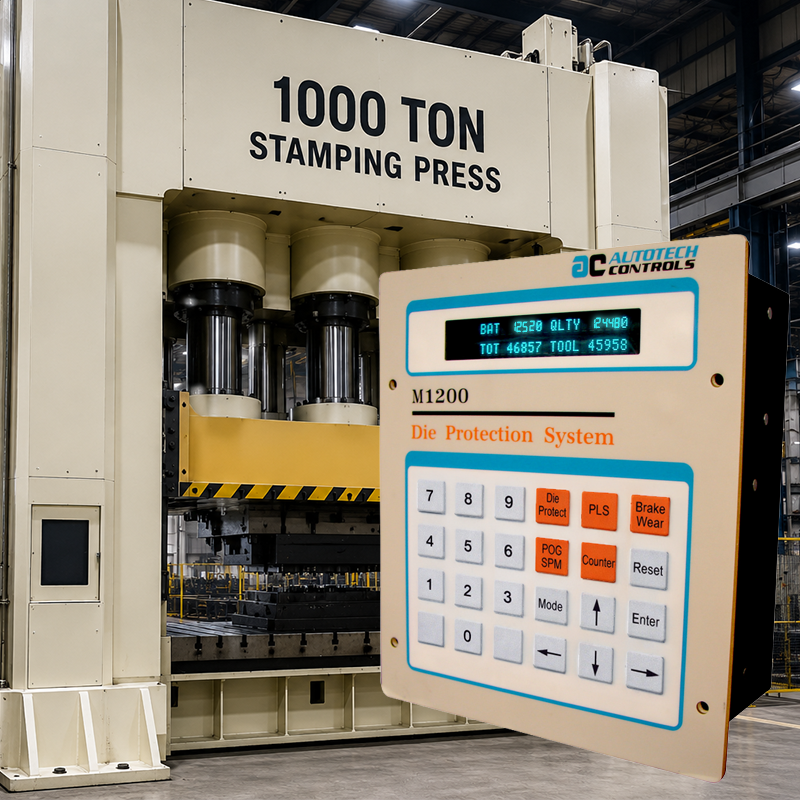
The strongest M1200 differentiator is not merely die protection. It is operational simplification. Review Mode dramatically reduces setup time by allowing the operator to quickly verify and review the stored die configuration instead of rebuilding everything manually. Hot colored buttons makes programming, editing, and verification quickly.
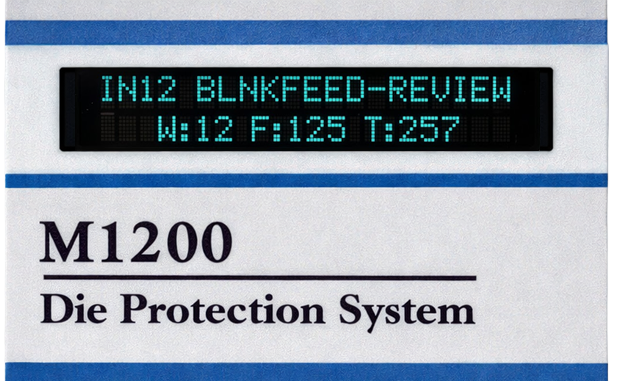
Review Feature for Quick Setup and Diagnostics
Setting of position windows for sensors used to be a very time consuming, trial and error based procedure. With the M1200’s review screen, setup becomes extremely easy. During setup, the M1200 captures sensor events. User can review press angles where sensors became active during the press cycle, and then program the position windows & event type. accordingly, for each sensor.
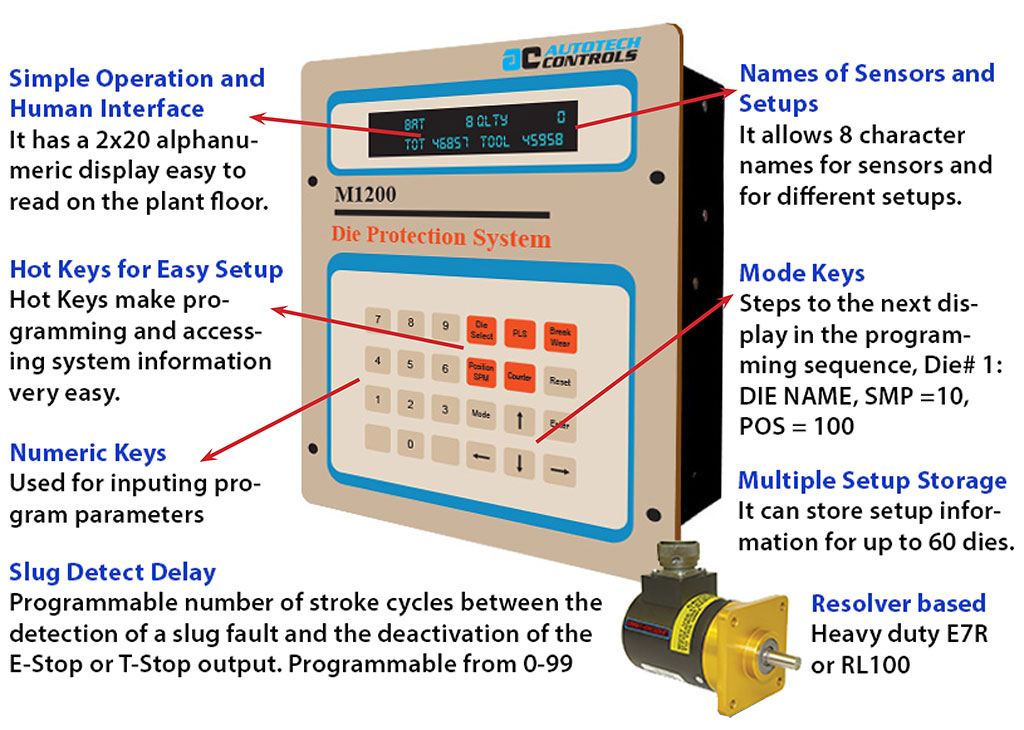
Competing systems may require extensive step-by-step setup procedures. The M1200 Review Mode changes the operator interaction model entirely.
12 die sensor inputs by name , , Pulse, ON OFF, 4 types of counters, 60 die setup storage by name, Mode selection, Slug detect delay feature, Programmable engagement angle, Choice of E-stop/Top-stop for every fault.
Less downtime. Faster die changes. Less debugging. Less operator frustration. Faster return to production.
Review Mode transforms die setup from a long manual procedure into a fast verification workflow.
Choose the stored die setup.
Verify sensors, brake settings, and timing.
Make only necessary corrections.
Return the press to production faster.
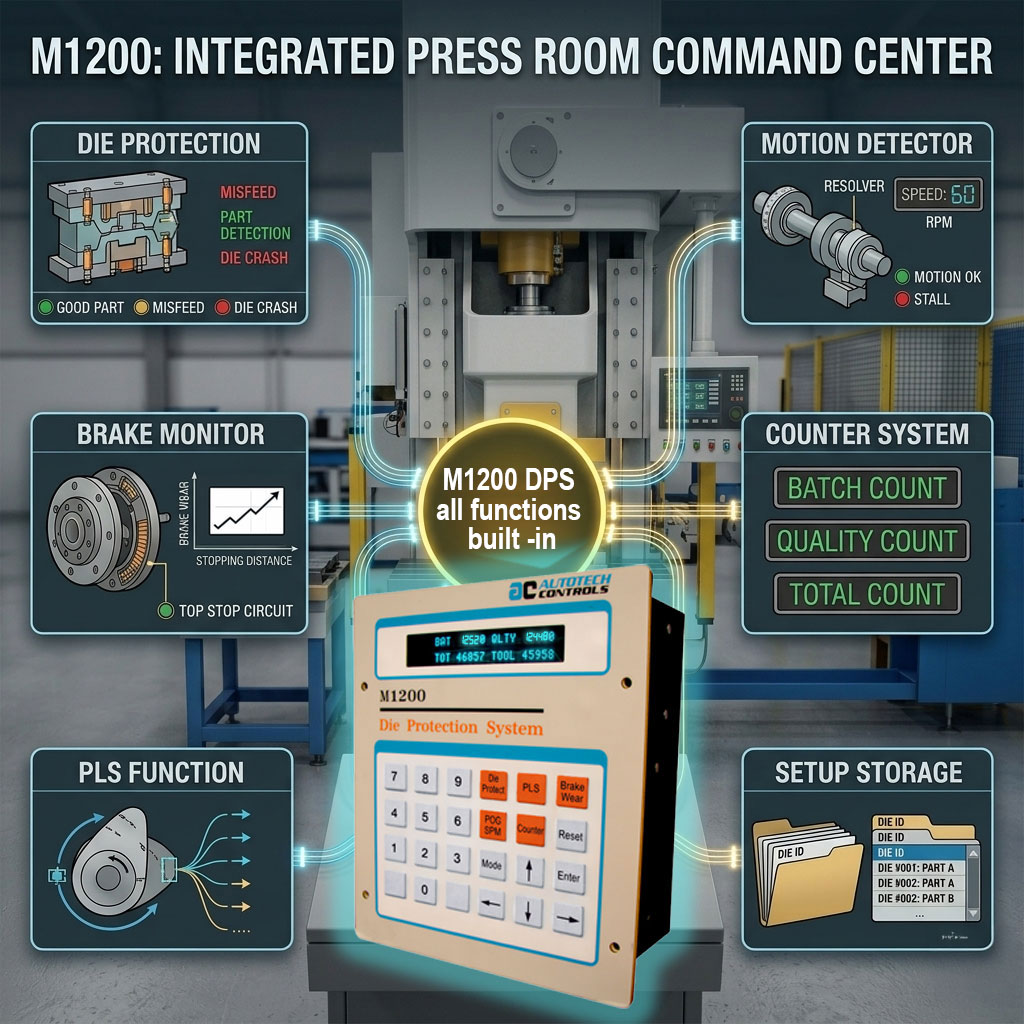
The M1200 is not merely a die protection box. It integrates multiple pressroom functions into a single compact platform.
Monitor stopping performance within the same system.
Programmable limit switch functionality within the platform.
Monitor press events during every stroke to prevent damage, 4 levels of counters.
The M1200 stores setup information for up to 60 dies. Operators/setup team does not need to rebuild configurations from memory or handwritten notes.
Operators/setup team should not have to memorize sensor numbers or cryptic setup codes. The M1200 was engineered for real pressroom operation.
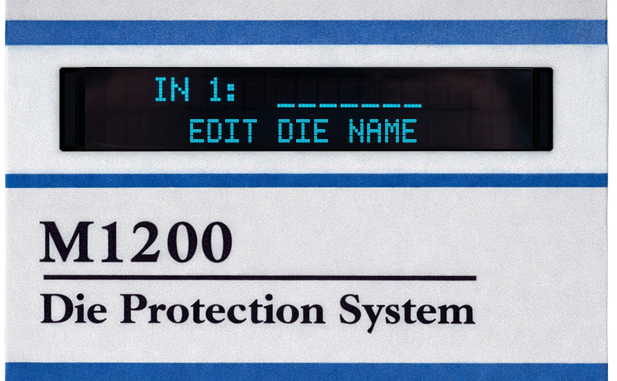
Dedicated hot keys dramatically simplify operation. Instead of navigating menu hierarchies, the operator immediately accesses the needed function.
Direct access to die-protection functions.
Immediate access to brake monitoring and limits.
Operators go directly to the required pressroom function.
This page should make a stamping engineer say: “Yes, this is a smarter pressroom workflow.”
| M1200 Engineering Feature | Why it matters to the pressroom | Message |
|---|---|---|
| Review Mode | Reduces setup complexity and dramatically shortens die-change workflow. | “Why should die setup consume an entire shift?” |
| 60 Die Storage | Allows rapid recall of previously configured die setups. | “Change the die. Recall the setup.” |
| Integrated Multi-Function Platform | Combines multiple pressroom functions into one compact system. | “One compact system replacing multiple pressroom boxes.” |
| Hot Keys | Simplifies operation and reduces menu navigation. | “The operator should go directly to the function.” |
| Named Dies & Sensors | Improves usability and reduces operator confusion. | “Operators should not memorize sensor numbers.” |
| Bright VFD Display | Improves readability in industrial pressroom environments. | “Operator-centered industrial UI.” |
The M1200 is not just “another die protection system.” It is a dramatically simpler way to run a stamping pressroom.